Turn any process into a professional Standard Operating Procedure (SOP) or tutorial. StepGrab captures your screen at every click, adds numbered arrows, and generates the guide automatically — 100% locally on your Mac.
Just start recording and click through your workflow. Every click becomes exactly one step — frozen at exactly the right moment.
Every step is a true-to-Mac screenshot: the floating window with rounded corners and shadow — no desktop background, no menu bar, no clutter.
Open menus, submenus, and system pickers are captured reliably — even when your click is the one that closes them.
Numbered arrows land precisely where you clicked — in your color, size, and style — so your audience always knows where to look.
Export your workflow as a PDF document, an animated GIF, or an MP4 video — ready to share in seconds.
Always one click away — with a lightweight floating HUD that shows your step count and live previews while you record.
Click the menu-bar icon and run through your flow. Every click is captured as a clean screenshot, automatically numbered and annotated.
Each step is captioned automatically from what you clicked. Review the live preview, drop the steps you don't need, and pick your arrow color, size, and style.
Export the finished guide as PDF, GIF, or MP4 and drop it into a doc, ticket, or Slack thread. Done in seconds.
100% local.
Nothing uploaded.
Ever.
Recordings, screenshots, and exports live only on your Mac. Nothing touches a server — ever.
No email, no password, no tracking. Sign in with Apple is optional — used only to sync your recording count via an anonymous Apple ID.
Your screen never leaves your device. You decide what gets shared, and with whom.
Full-motion recording with smooth cursor trails. Drop it into a doc, embed it, or share a link.
Looping preview clip. Perfect for product updates, Slack threads, and GitHub pull requests.
Numbered, printable step-by-step guide. Captions and screenshots included.
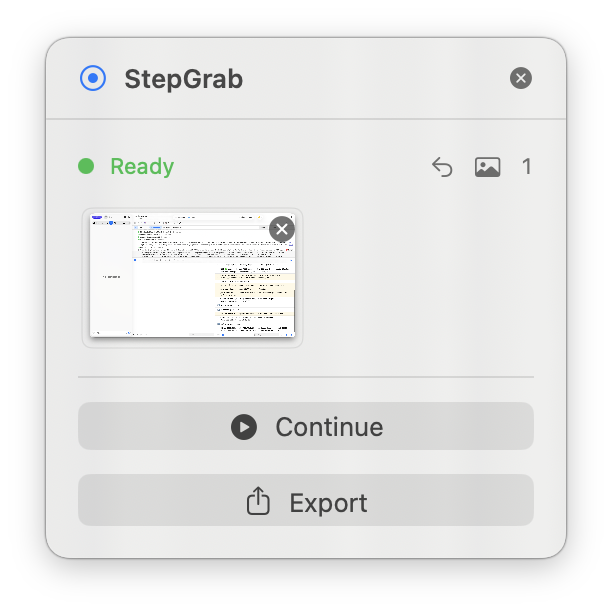
While you record, a lightweight panel shows your status, step count, and live thumbnails of every capture. Drop a step you don't need, undo the last one, continue, or export — without ever leaving your workflow.
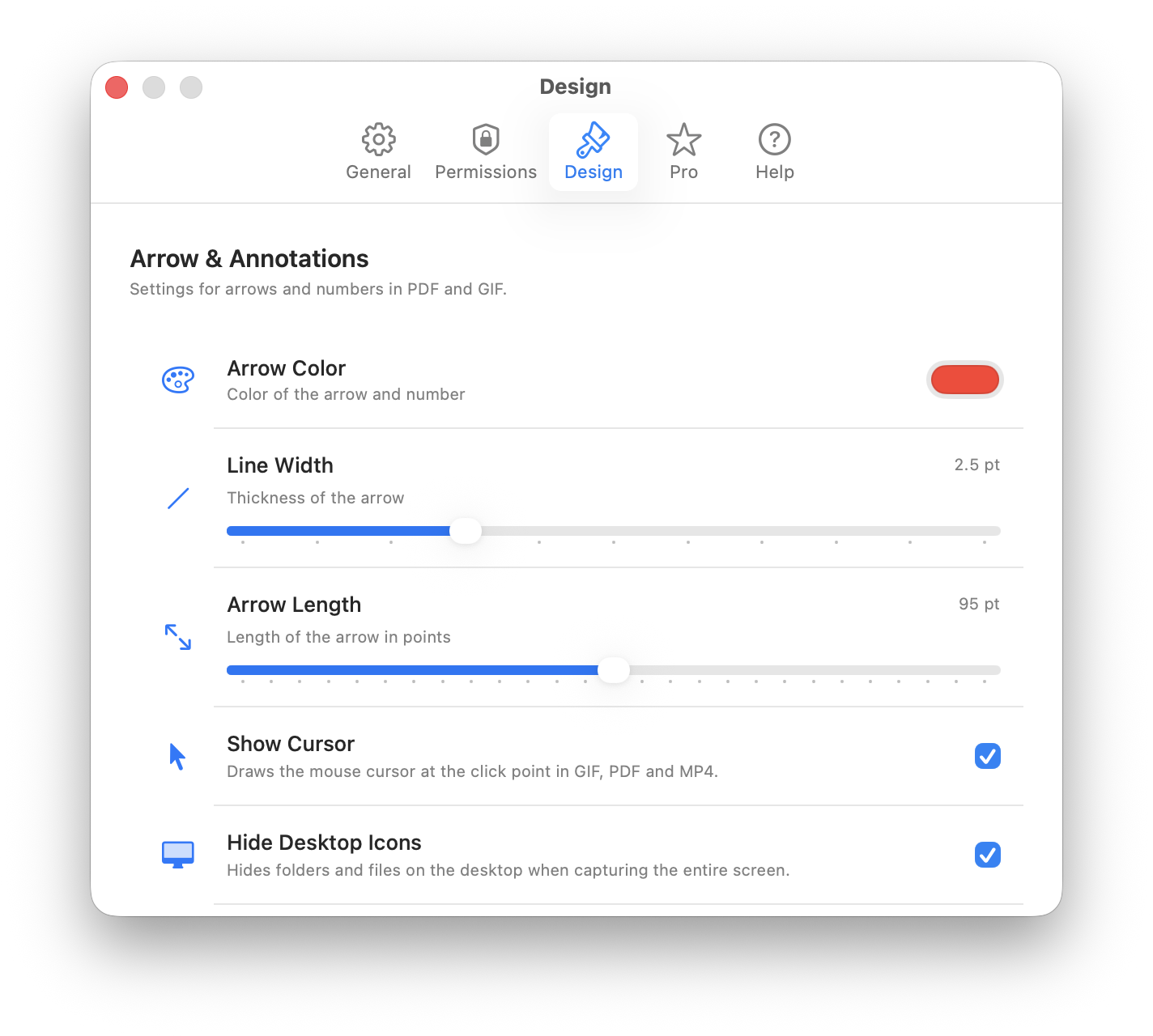
Pick the arrow color, line width, and length that match your brand. Show the cursor at the click point, hide desktop icons — every export follows your design rules.
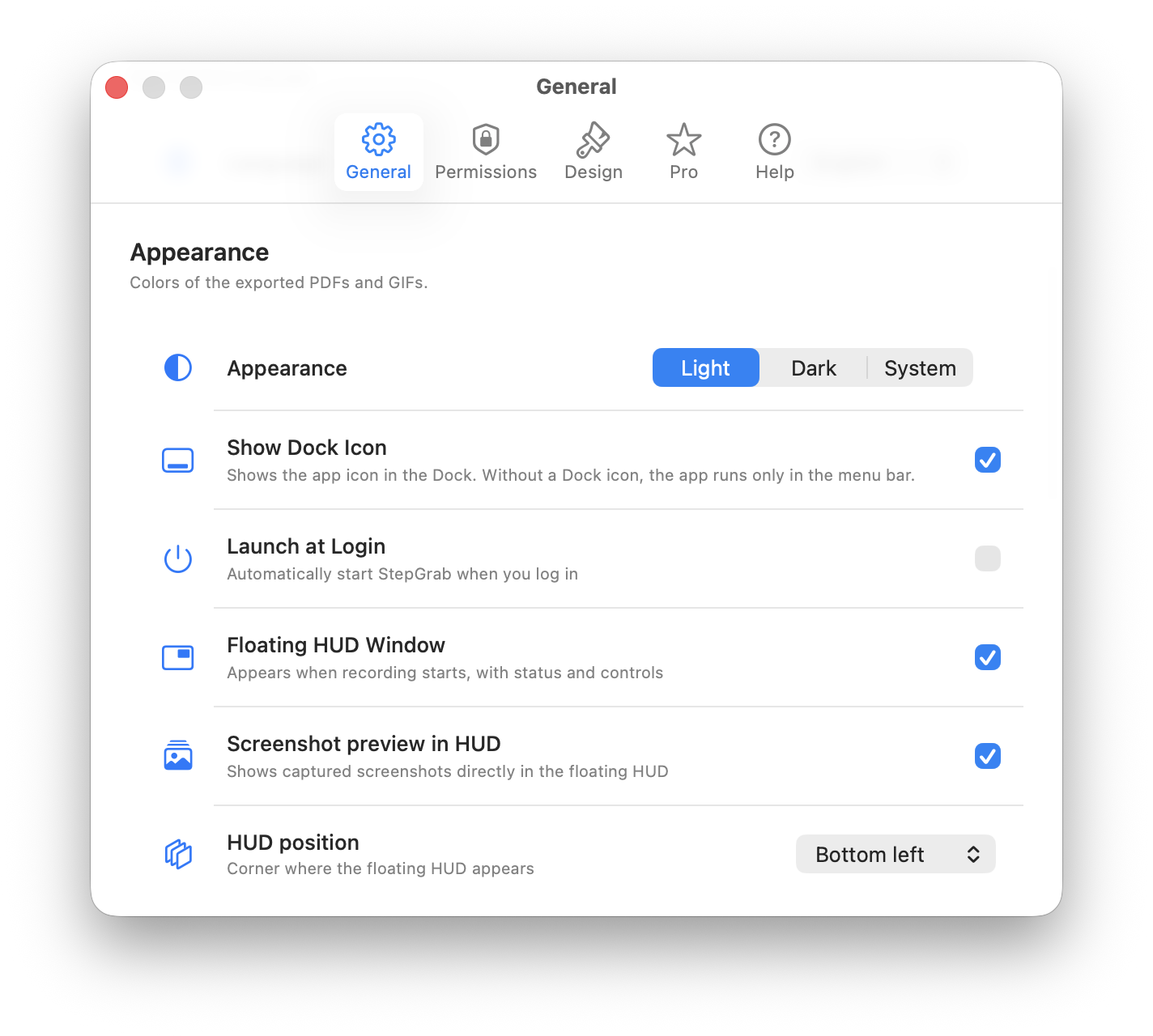
Light or dark exports, Dock icon on or off, launch at login, HUD position and previews — StepGrab adapts to the way you work, then stays out of your way.
No. StepGrab runs entirely on your Mac. Screenshots, recordings, and exports stay on your device — nothing is uploaded, analyzed, or shared without your explicit action. No account is required to use the app.
StepGrab is free to try on the Mac App Store — you can record your first few guides without an account. Pro unlocks unlimited recordings, MP4 export, and every customization option, available as a yearly subscription or a one-time Lifetime purchase.
StepGrab runs on macOS 14.6 and later, on both Apple Silicon and Intel Macs. You can download it directly from the Mac App Store — updates install automatically.
Every recording can be exported three ways: a numbered PDF guide (great for tickets and docs), an animated GIF (perfect for Slack and pull requests), or a full-motion MP4 video. Pick one, or export the same recording to all three.
Yes. Every step is captioned automatically from what you clicked. Before exporting you can review all steps in the live preview, delete any you don't need, undo the last capture, and choose your arrow color, size, and style. Exporting never alters your original capture.
Yes. StepGrab is a native macOS alternative to browser-based documentation tools like Scribe or Tango: it captures every app on your Mac — not just the browser — runs 100% offline with no account required, and exports PDF, GIF, and MP4 without a per-seat team subscription. See the full comparison →
Free for your first 3 recordings. No account required.
Download on the Mac App Store